

Imagine this: you’re playing your favorite Pokemon game or ROM hack on your sweet VBA emulator. You’re having fun, and then the game suddenly moves fast.
Of course, there is a turbo feature in the VBA emulator, but is that really the reason it speeds up?
Many players don’t know this yet, but there several explanations as to why the game speeds up. Lucky you, we’re here to teach you some methods on how to stop Visual Boy Advance from speeding up.
This issue could happen more than just once, so read this guide until the end, and the unwanted speeding should stop. That way, you don’t have to be annoyed when you’re having fun with your game or ROM hack of choice.
Other related topics:
- How To Fix White Screen On Visual Boy Advance
- Visual Boy Advance For Mac Alternative Emulators
- Visual Boy Advance: How To Fix Internal Battery Run Dry Error
- How To Fix “1m sub-circuit board is not installed” Error on VBA and MyBoy
Why Does the Visual Boy Advance Speed Up?

There are a variety of reasons why the VBA speeds up. It could be one of them or all of them, but the steps to fixing them are the same.
Incompatibility Issues With the PC and VBA
There are some people who haven’t upgraded or used the newest or latest VBA emulators. The Visual Boy Advance has been around for almost 20 years. This also means that a lot of Pokemon ROMs and hacks are just as old.
When changing to a new PC, there’s a chance that the old VBA emulator may not be compatible with the new PC. The VBA may not be functioning as well. There are even reports of crashes due to the incompatibility.
The PC Is Just Too Strong
This may sound silly, but there is a PlayStation 2 emulator called PCSX2. The emulator is just as old as the VBA since the PS2 came out in the early 2000s.
We bring this up because if you play this emulator on modern PCs, the game moves very fast. Even if you don’t use the game’s turbo feature, the game will run as if it’s on turbo.
You can alleviate this by setting up the game to slow itself down if needed. This can also be the reason why the VBA will speed up because the PC’s processing power is too strong.
The game will just blitz through even if you don’t use the turbo feature.
Your Settings and Configuration Aren’t Complete
You may not have yet set your configurations properly. Maybe you pressed a button that toggles the speed button, and you don’t know which one, among others.
How to Stop Visual Boy Advance From Speeding Up
Now, let’s get to the steps and repairs that you can do if the game just speeds up and continues to speed up.
Solution 1: Download the Latest VBA Version

This one is easy; just download the latest version of Visual Boy Advance on your PC.
Don’t hesitate to try this method because any saves you made from other games can be easily imported to any VBA version, especially if the save file is transferred from an older version to the latest version.
Solution 2: Close the Visual Boy Advance
There’s nothing wrong with the tried-and-true method of closing the emulator. Launch the game again and see if the problem still persists.

It’s also a bit extreme, but you may need to restart your PC. It’s a good solution, and maybe the next time you turn on the PC, the speeding-up problem will be gone.
Solution 3: Set Up Your Configuration
There are two methods where you press a button, and it speeds up the game. In the images below, you can see where you can adjust the buttons and set them to any button you want.
The toggle button means that by pressing it, the game will speed up until you press it again to turn off the speed.

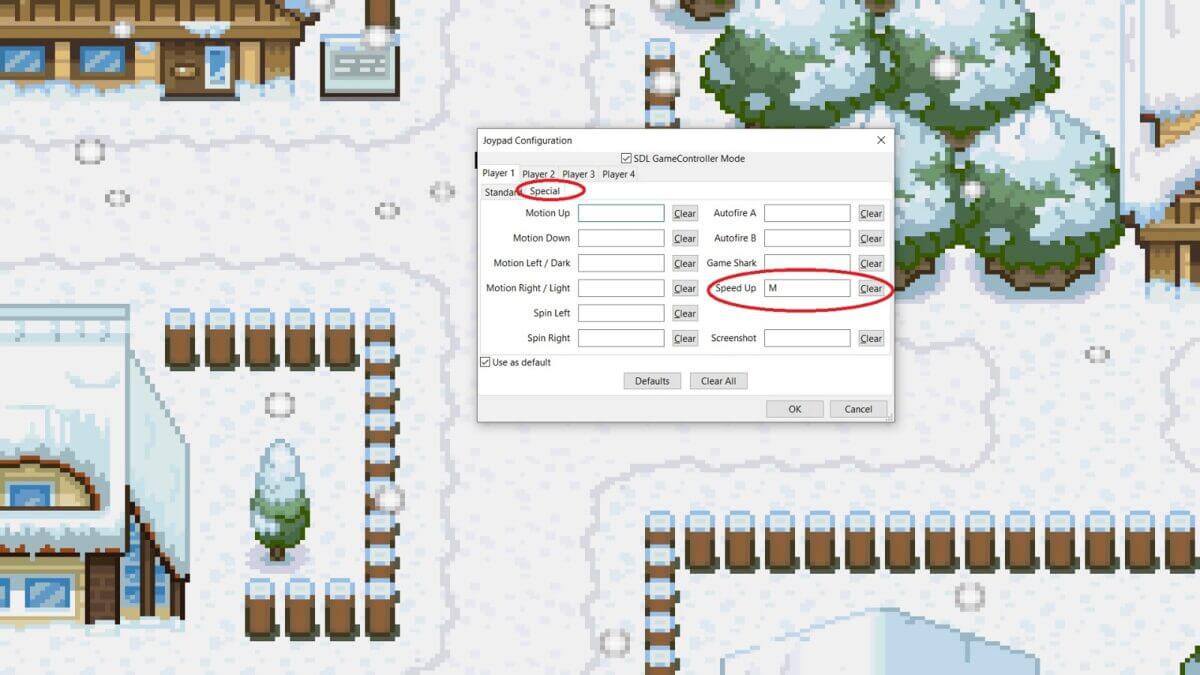
Holding the button means that it will stop speeding once you release the button.
Solution 4: Adjust the Frame Skipping
In this method, if the game is speeding up all the time, you may want to adjust the frame skip setting. Making the frame skip larger will actually slow the game down.
This is similar to the PCSX2 example we made, where players increase the frame rate so that the game slows down. Choose your desired frame skip number until you’re satisfied with the speed.

Solution 5: Adjust the Turbo Speed
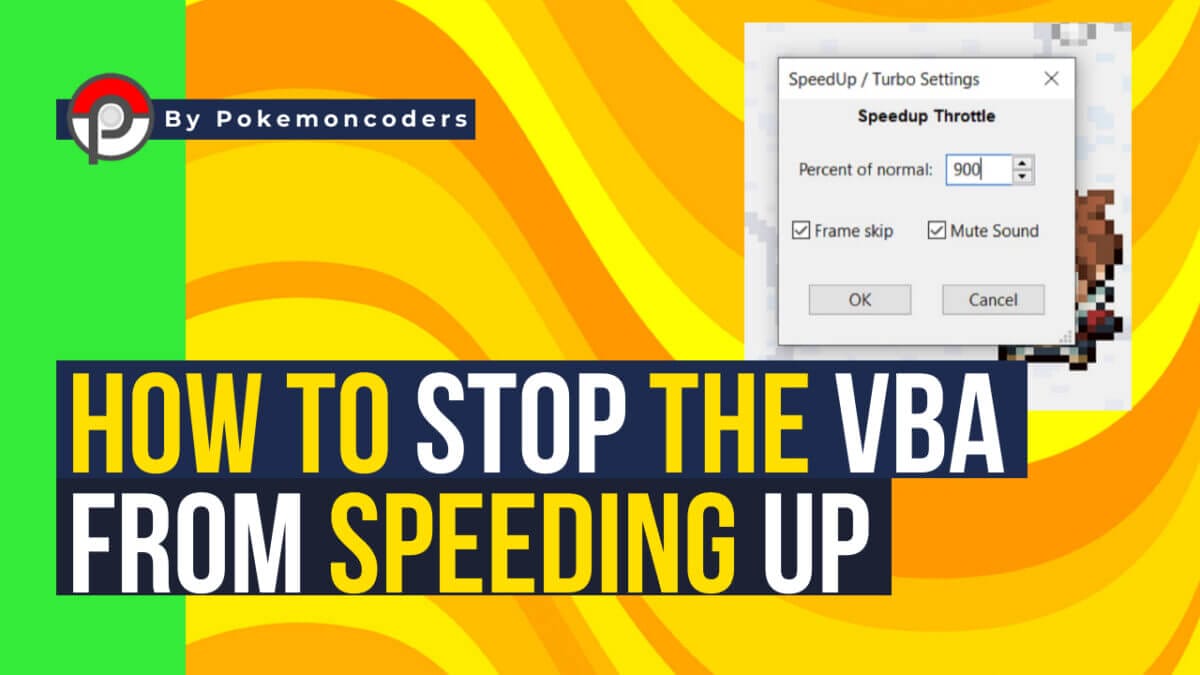
It could also be because of the turbo speed. In the image below, you can adjust the turbo speed to determine how fast the game can go. For some reason, it defaults to 900%. Lower it down, and the game may stop from randomly speeding up.

FAQs
Does speeding happen when the emulator gets old?
We really can’t verify this as of now. Speeding can happen in any version of the Visual Boy Advance.
It’s best just to download the latest version, as it seems to have minimal issues. That’s because the latest versions tend to fix any bugs or problems from previous versions.
Are the steps also applicable to mobile devices?
They could be, but the VBA for mobile devices has a very different makeup. There aren’t any reports of this problem, plus the mobile versions can apply some of these steps if needed.
In Closing
Now that you know how to stop Visual Boy Advance from speeding up, you don’t have to worry about your gaming blitzing through anymore.
That can be really annoying when your game just speeds up, especially when playing Pokemon games for the Game Boy Advance and GBC.
If you have ever tried turbo boosting a GBC game, it zips right through because it is so fast. Don’t worry, just apply all the things we mentioned, and you can enjoy your gaming time using your preferred Visual Boy Advance.
